
Bulk move Salesforce reports
Move Salesforce reports between folders without moving them one at a time
Lightning's Move option handles a single report or dashboard per click. SF Report Manager selects a whole batch, shows you exactly where each one is going, and moves them together.
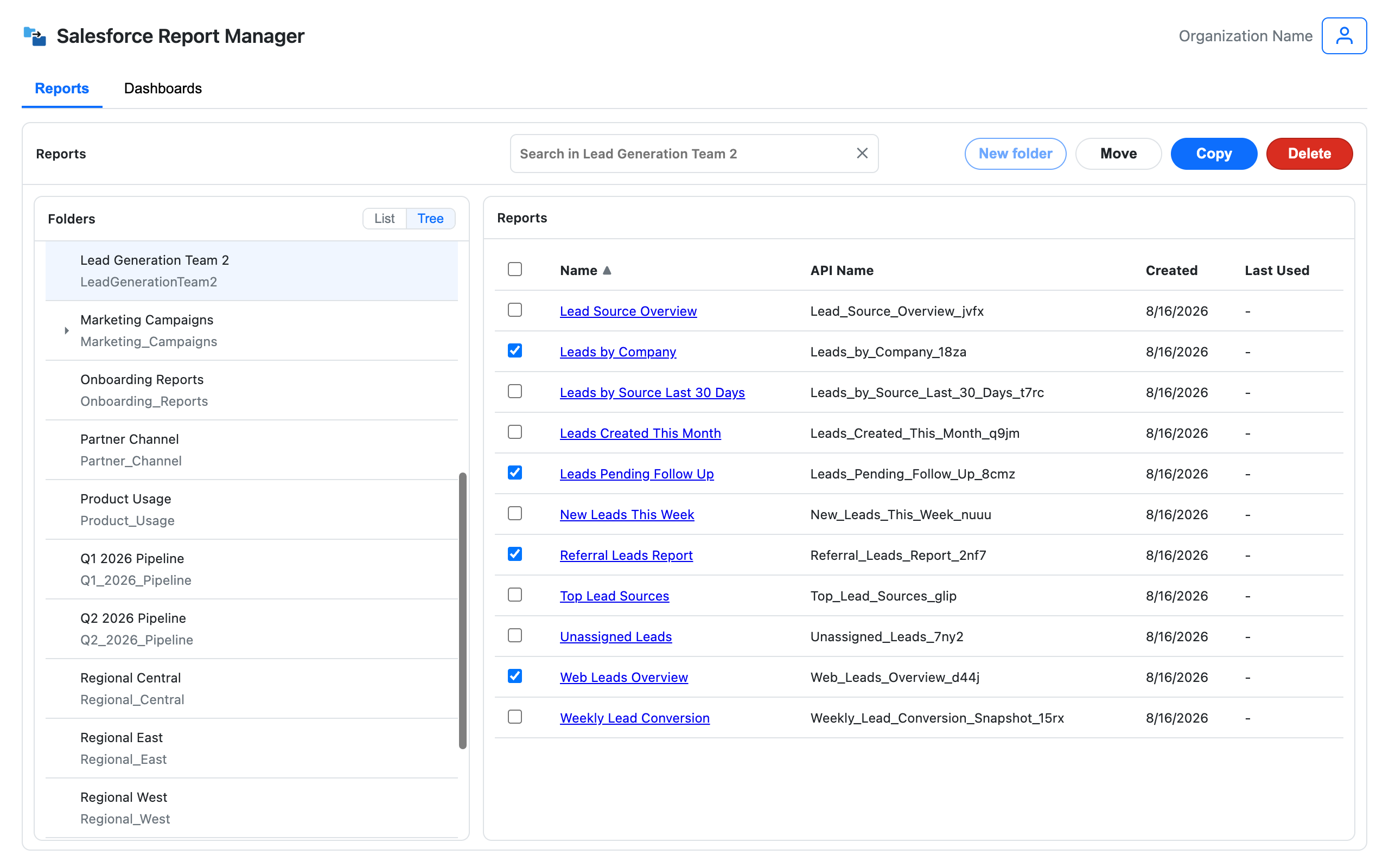
The bulk move Lightning doesn't have
How bulk move works
Select once, confirm the destination, and move everything in one run.
Select what needs to move
Browse the source folder and select the reports or dashboards that belong somewhere else.
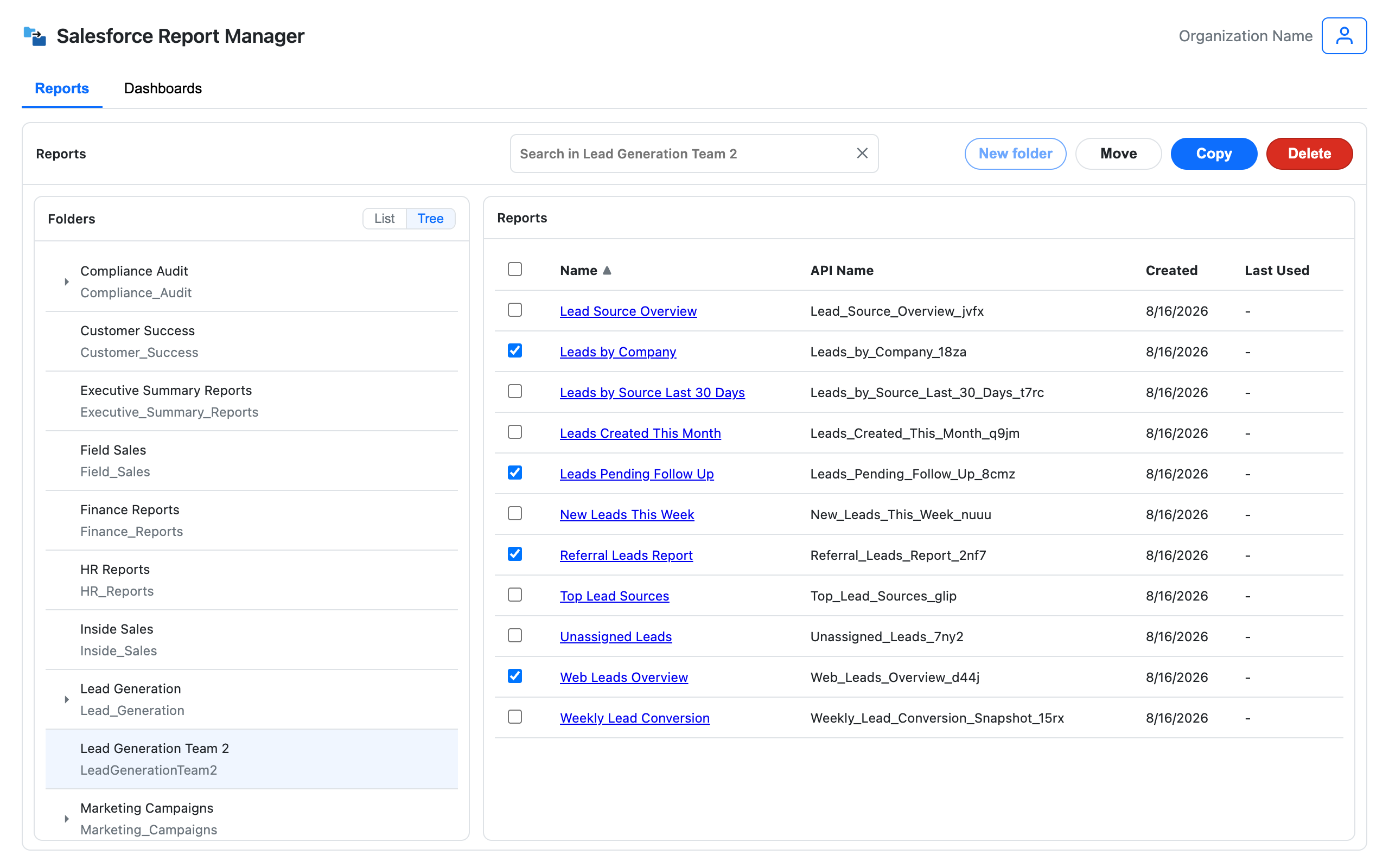
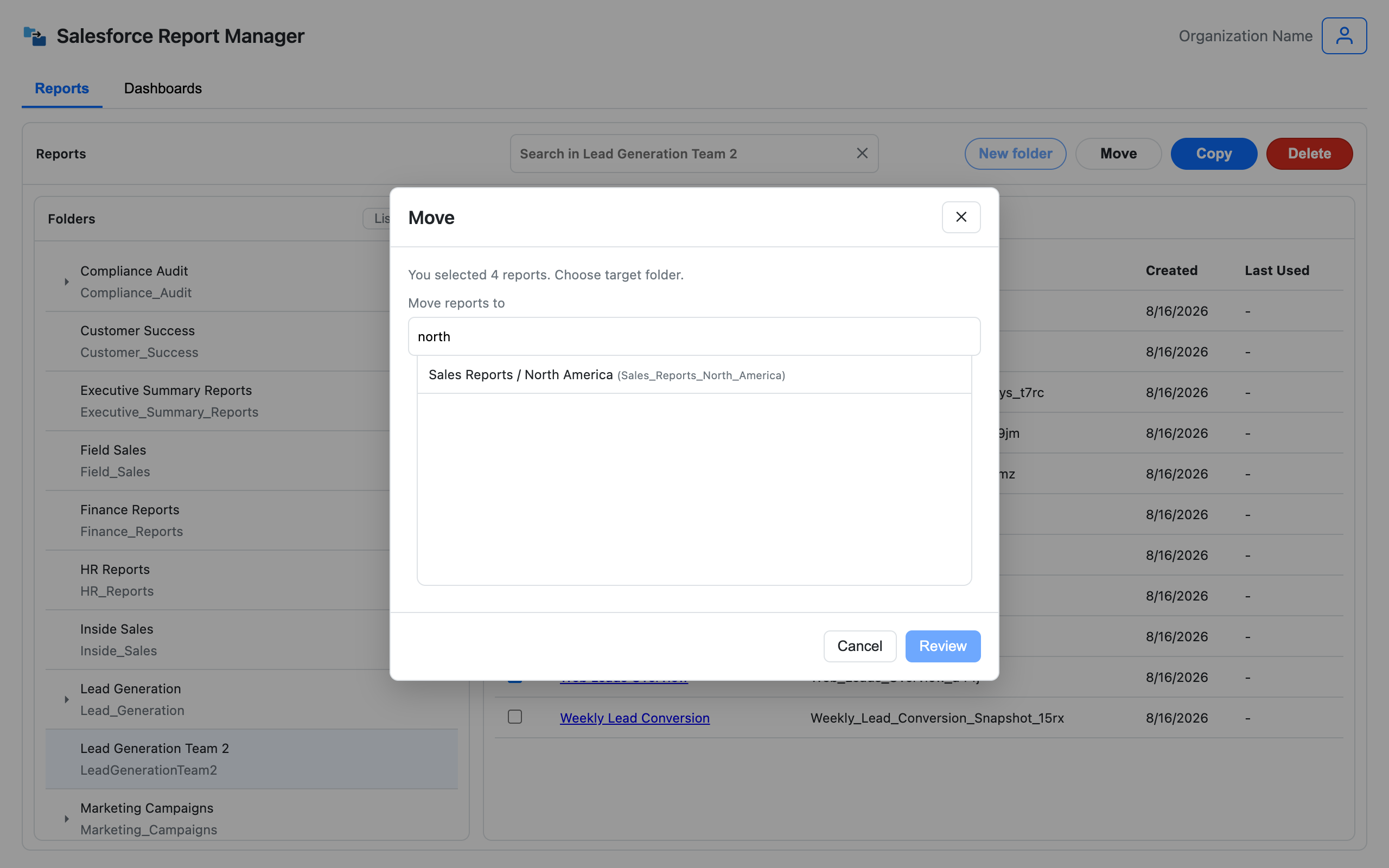
Pick the destination folder
Choose the folder everything should land in, with no repeating the same choice for every asset.
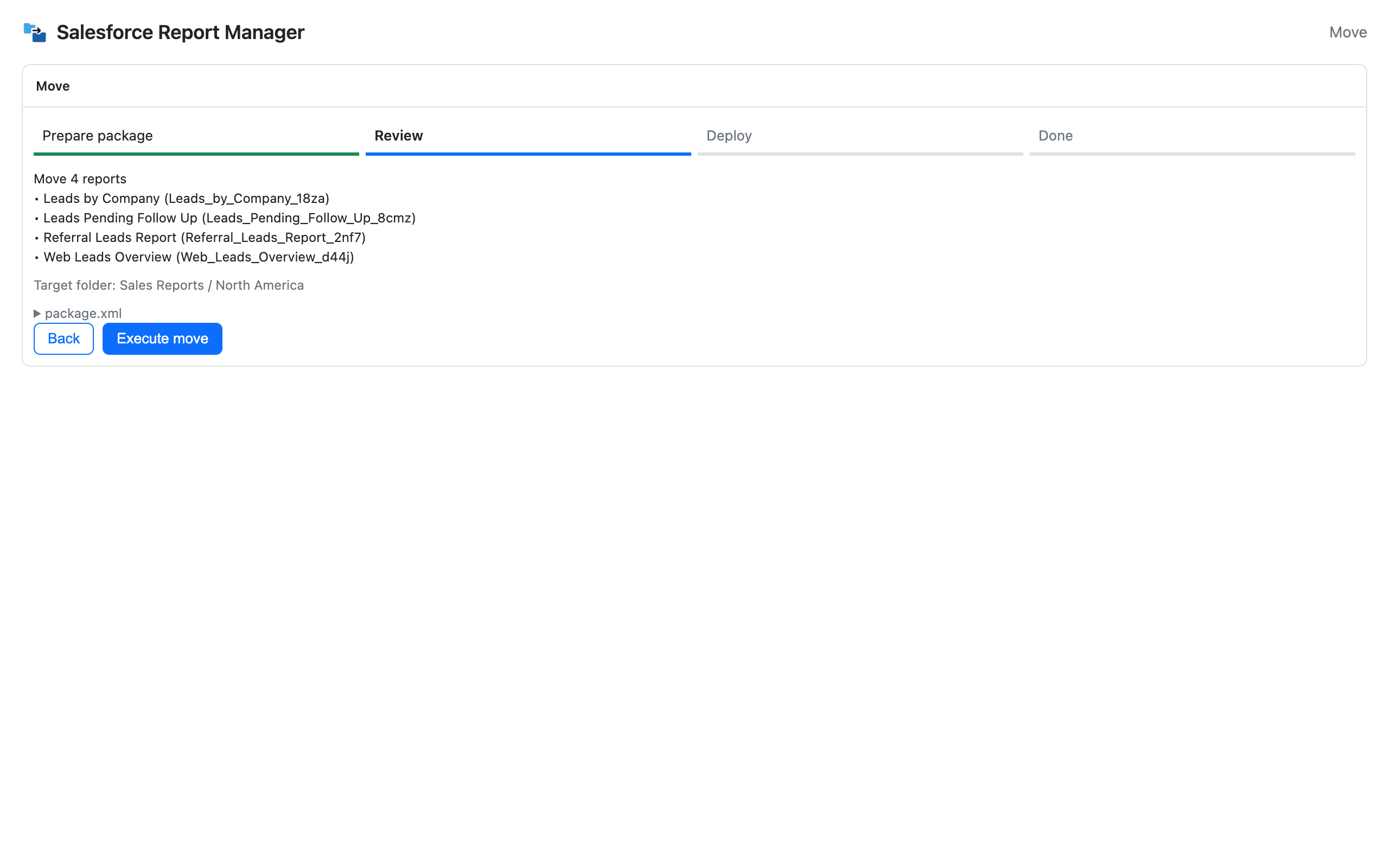
Confirm, then move
See exactly which reports and dashboards are moving and where, confirm the change, and run it. You'll get a clear success and failure count when it's done.
Where bulk move earns its keep
Post-reorg folder cleanup
When teams, territories, or ownership models change, move everything that's still relevant into its new home in one pass instead of a long afternoon in folders.
Team and territory restructuring
Realign reports and dashboards with how the business is organized today, not how it was organized when the folder was first created.
Consultant handoff prep
Leave every client org with a clean, logically organized folder structure before you hand it off.
FAQ
Can I move multiple Salesforce reports at once?
Yes. Select multiple reports from a folder, choose the destination, confirm the exact scope, and move them all in one run.
Does bulk move work in Lightning?
Yes. It runs from your browser using your existing Salesforce session — no need to switch to Classic or touch the Metadata API directly.
Can I move dashboards too, not just reports?
Yes. Move and delete both support selected dashboards, and a dashboard can take its reports with it. Moving dashboards with their reports has the details. Only dashboard copy is limited to one dashboard per operation, because it also prepares the reports behind it.
What happens to a dashboard's reports when I move it?
By default they move with it, into a report folder you pick, so the dashboard and its reports stay together. Tick "Leave reports in place" to move only the dashboards. One thing to know: if other dashboards use the same reports, those dashboards may lose the components after the reports move. The move screen reminds you before you run it.
What if I want a copy instead of moving the originals?
Use bulk copy. It duplicates the reports into the new folder and leaves the originals where they are.
Does moving a report change its filters or logic?
No. Moving only changes the folder an asset lives in. Your business logic, filters, and reporting definitions stay exactly as they were.
Does it follow my Salesforce permissions?
Yes. You can only move assets into and out of folders your Salesforce user already has access to.