
Move Salesforce dashboards with their reports
Move Salesforce dashboards together with their reports
When you move a dashboard in Salesforce, its reports stay where they were. SF Report Manager moves the dashboards and the reports behind them in one run, and shows you the full list before anything changes.
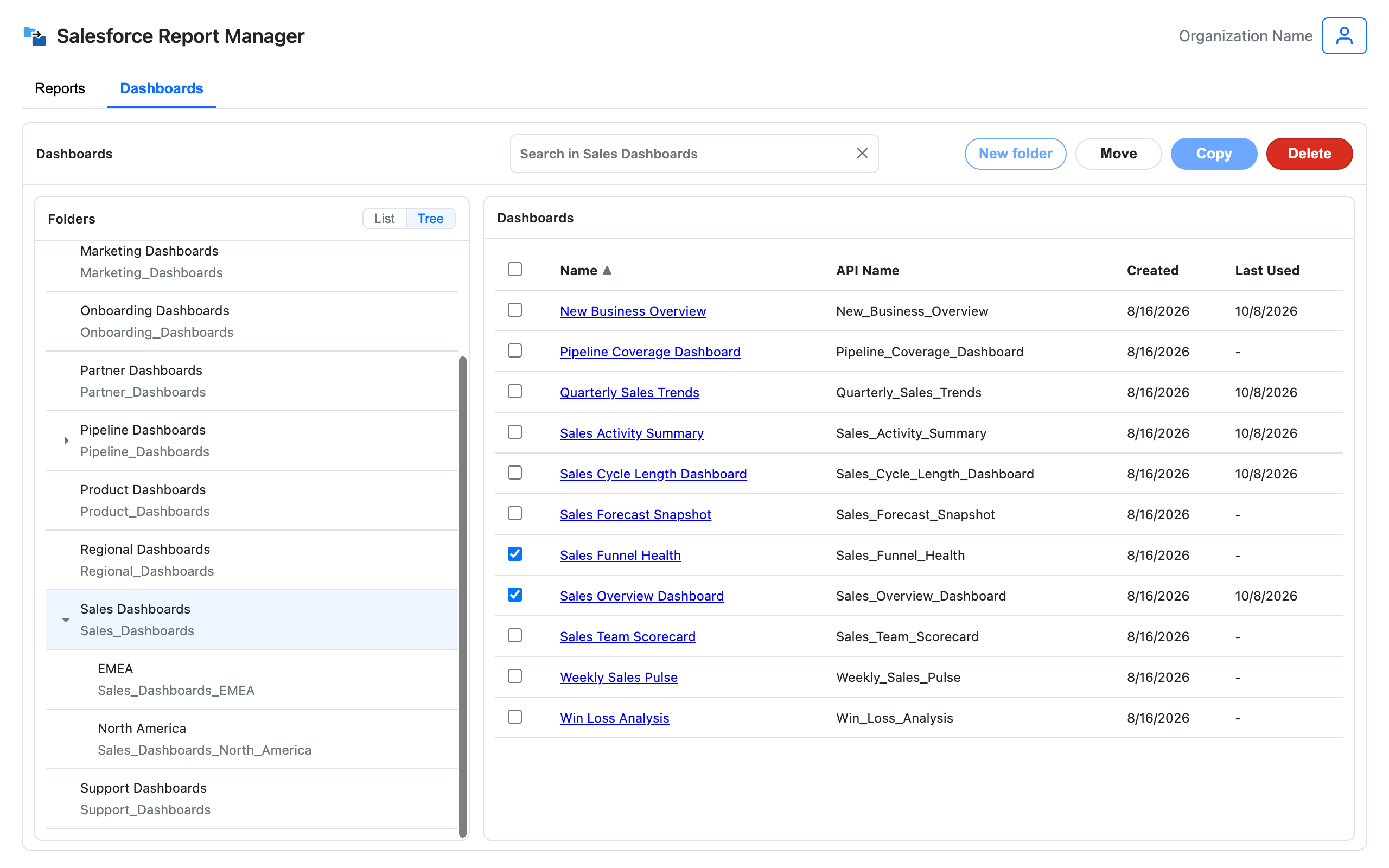
Moving a dashboard leaves its reports behind
How moving dashboards with their reports works
Pick the dashboards, pick two folders, review, run.
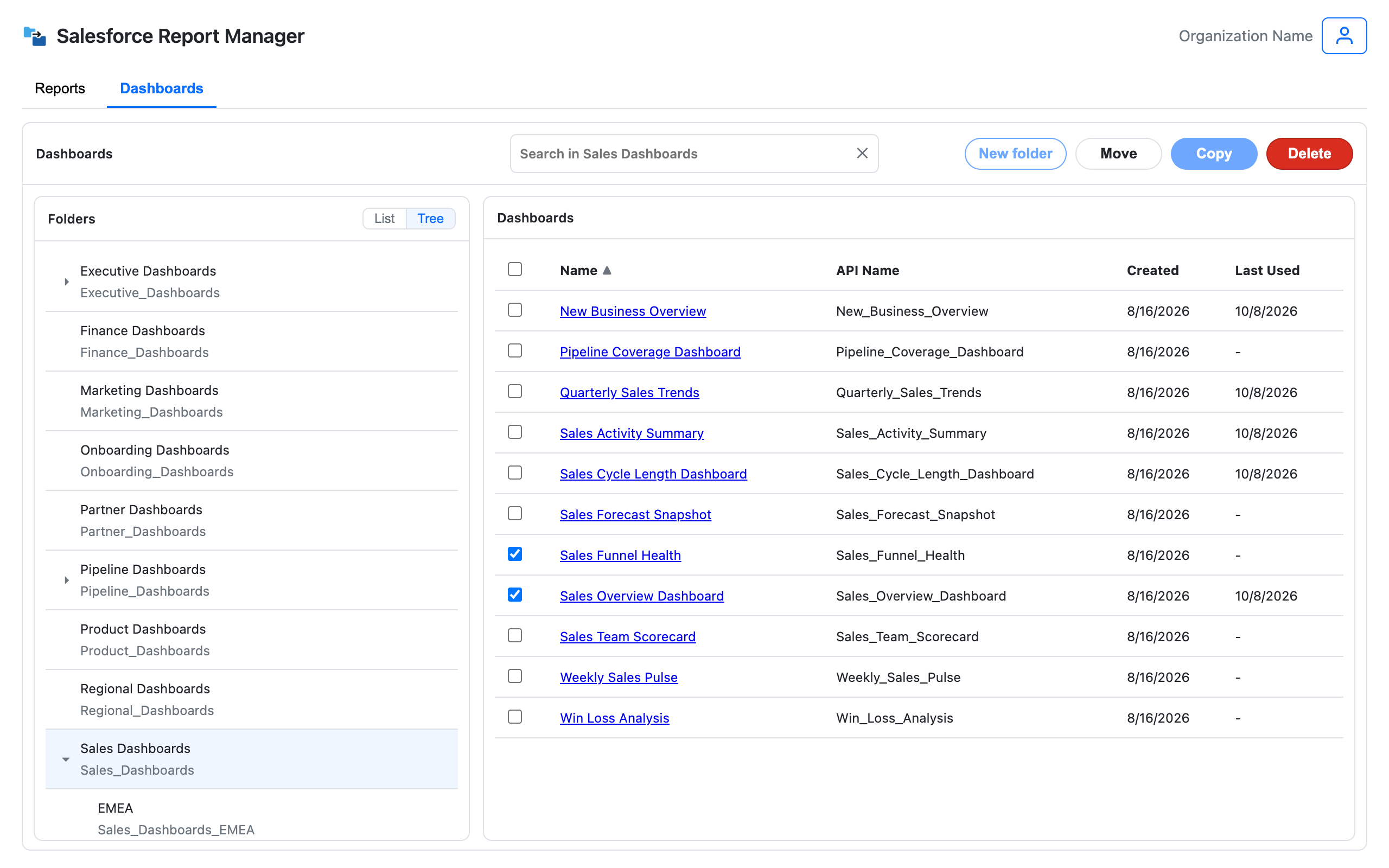
Select the dashboards
Open the source folder and tick the dashboards that belong somewhere else. Take as many as you need in one go.
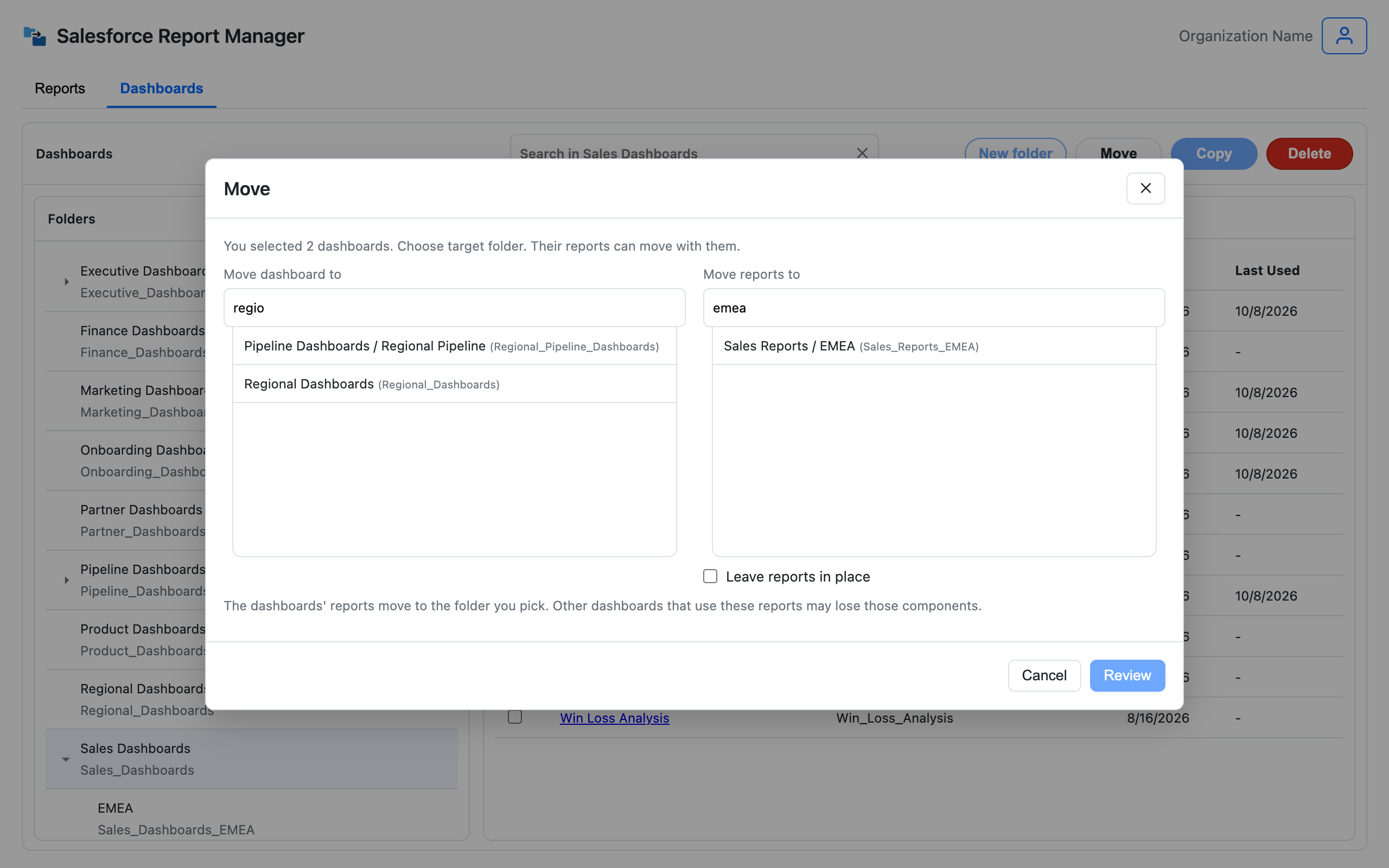
Pick the folders
Choose the folder for the dashboards, then the report folder for the reports behind them. If the reports should stay put, tick "Leave reports in place".
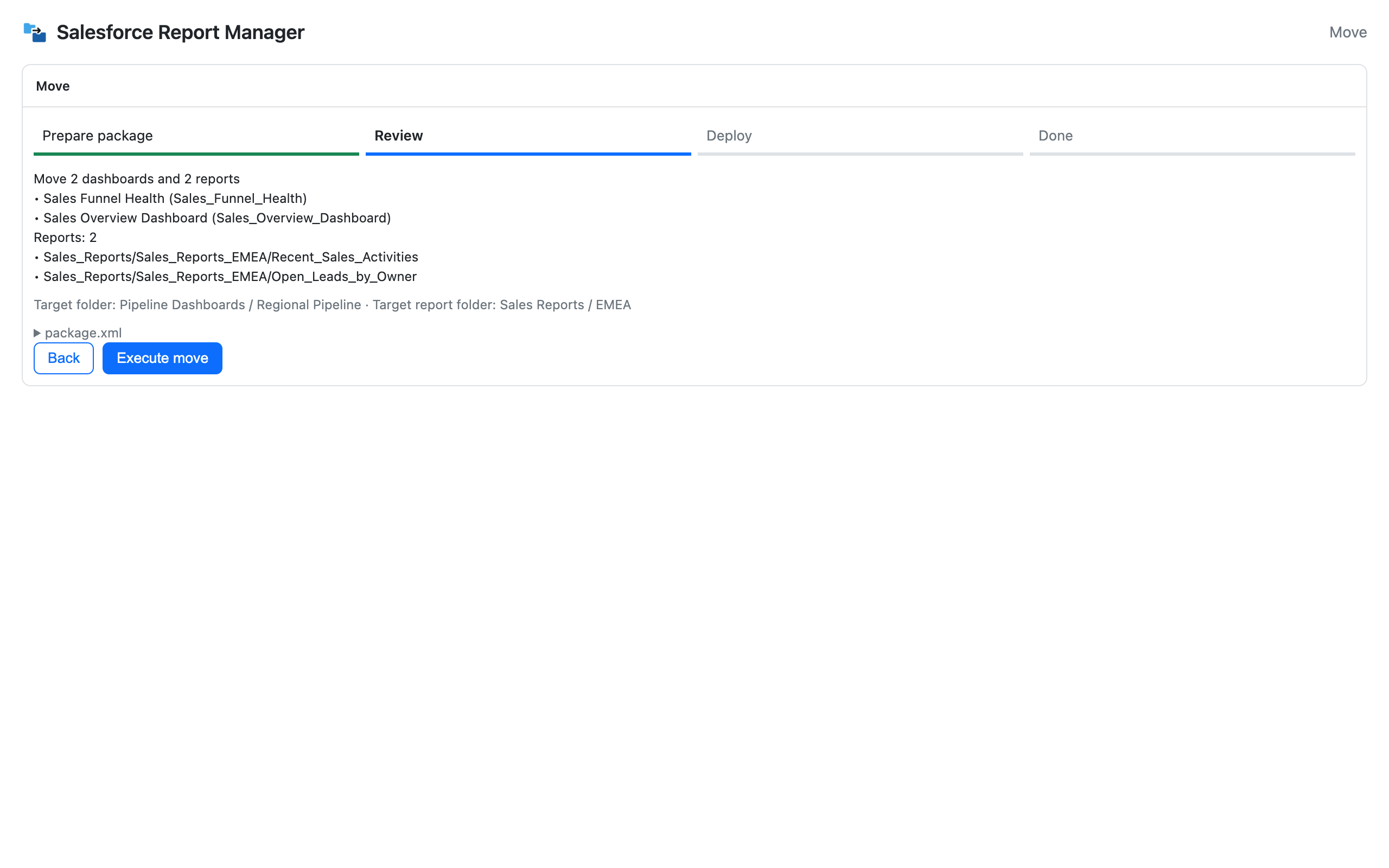
Review, then move
The review screen lists every dashboard and report that will move, with the folder it's going to. Check it, run it, and you get a clear success and failure count at the end.
When this helps
Team and region reorgs
A set of dashboards moves to a new team's folder and its reports go with it. Nobody has to go looking for them later.
Archiving a finished project
Move a project's dashboards and reports into an archive folder together, so the whole thing stays in one piece.
Handing over an org
Leave a client org with dashboards and reports in matching folders instead of a trail of leftovers.
FAQ
How do I move a dashboard to another folder in Salesforce?
In Lightning, use the Move option on the dashboard and pick the new folder. That works one dashboard at a time and doesn't touch its reports. SF Report Manager does the same for several dashboards at once, and can move their reports with them.
Does moving a dashboard in Salesforce move its reports?
No. Salesforce's own Move changes only the dashboard's folder. The reports stay where they were, which is how dashboards and their reports end up in different places.
Can I move a dashboard and leave its reports where they are?
Yes. Tick "Leave reports in place" and only the dashboards move.
What if other dashboards use the same reports?
Those dashboards may lose the components that use the moved reports. The move screen reminds you before you run it. If a report is shared, leave it in place, or copy the dashboard so it gets its own reports.
Can I move several dashboards at once?
Yes. Select as many as you like and move them in one run. All of their reports go to the one report folder you pick. Only dashboard copy is limited to one dashboard at a time.
Can I move into a nested folder?
Yes. Folders inside folders work as targets, and the picker shows each one with its parent.
Does moving change the charts or filters?
No. A move changes where the dashboards and reports live, not what's in them.
What about moving reports without a dashboard?
That's bulk move for reports. Select the reports, pick the folder, run it.
Does it follow my Salesforce permissions?
Yes. You can only move assets into and out of folders your Salesforce user already has access to.